Showing posts with label TWRP. Show all posts

March 17, 2014

How to Root Galaxy Note 3 (Canadian) N900W8 on Android 4.4.2 KitKat and Install CWM/TWRP Recovery

Samsung Galaxy Note 3 (Canadian) N900W8 users who wish to root and install ClockworkMod Recovery (CWM) or Team Win Recovery Project (TWRP) on their devices, may follow our step-by-step guide below.

This tutorial uses CWM/TWRP recovery released by TeamWin and Senior Member of XDA-Developers, Chenglu. The custom recoveries allows Galaxy Note 3 users to root their devices without any difficulty.

March 9, 2014

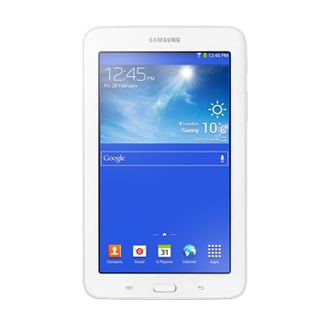
How to Root Galaxy Tab 3 Lite (Wi-Fi) SM-T110 on Android 4.2.2 Jelly Bean and Install CWM/TWRP Recovery

Samsung Galaxy Tab 3 Lite (Wi-Fi) SM-T110 users who wish to root and install ClockworkMod Recovery (CWM) or Team Win Recovery Project (TWRP) on their devices, may follow our step-by-step guide below.

This tutorial uses Custom Recoveries and Universal Root Package released by XDA-Developers members, gr8nole and ketut.kumajaya respectively. It allows Galaxy Tab 3 Lite users to root their devices without any difficulty.

February 15, 2014

February 5, 2014

How to Root Galaxy Note 3 N900 on Android 4.4.2 KitKat and Install CWM/TWRP Recovery

Samsung Galaxy Note 3 N900 users who wish to root and install ClockworkMod (CWM) or Team Win Recovery Project (TWRP) on their devices, may follow our step-by-step guide below.

This tutorial uses CWM/TWRP recovery released by TeamWin and Senior Member of XDA-Developers, Chenglu. The custom recoveries allows Galaxy Note 3 users to root their devices without any difficulty.

How to Root Galaxy Note 3 (LTE) N9005 on Android 4.4.2 KitKat and Install CWM/TWRP Recovery

Samsung Galaxy Note 3 (LTE) N9005 users who wish to root and install ClockworkMod (CWM) or Team Win Recovery Project (TWRP) on their devices, may follow our step-by-step guide below.

This tutorial uses CWM/TWRP recovery released by TeamWin and Senior Member of XDA-Developers, Chenglu. The custom recoveries allows Galaxy Note 3 users to root their devices without any difficulty.

January 10, 2014

How to Root Galaxy Tab 3 7.0 (Sprint) SM-T217S on Android 4.2.2 Jelly Bean and Install CWM/TWRP Recovery

Samsung Galaxy Tab 3 7.0 (Sprint) SM-T217S users who wish to root and install ClockworkMod (CWM) or Team Win Recovery Project (TWRP) on their devices, may follow our step-by-step guide.

This tutorial uses CWM/TWRP recovery released by Senior XDA-Developers, gr8nole. The custom recoveries allows Galaxy Tab 3 7.0 users to root their devices without any difficulty. The root method compatible with the Sprint version of the Samsung Galaxy Tab 3 7.0 with model number SM-T217S.

January 1, 2014

How to Root Galaxy Tab 3 Kids SM-T2105 on Android 4.1.2 Jelly Bean and Install CWM/TWRP Recovery

Samsung Galaxy Tab 3 Kids SM-T2105 users who wish to root and install ClockworkMod Recovery (CWM) or Team Win Recovery Project (TWRP) on their devices, may follow our step-by-step guide.

This tutorial uses CWM/TWRP recovery released by Senior Member of XDA-Developers, gr8nole. The custom recoveries allows Galaxy Tab 3 Kids users to root their devices without any difficulty. The root method actually designed for the Galaxy Tab 3 7.0 with model number SM-T210 and SM-T210R, but tested working on the Galaxy Tab 3 Kids as well.


December 9, 2013

How to Root Nexus 10 on Android 4.4.1 KOT49E KitKat and Install CWM/TWRP Recovery

Google Nexus 10 has just started receiving the latest Android 4.4.1 Kitkat OTA update with build version KOT49E.

Note: You can manually download the OTA for the Nexus 10 directly from Google's Update Servers and follow our step-by-step guide to install the update manually.

Nexus 10 users who have already updated their devices with Android 4.4.1 KOT49E KitKat, may root their devices using the tutorial below.

How to Root Nexus 7 (2013) Wi-Fi on Android 4.4.1 KOT49E KitKat and Install CWM/TWRP Recovery

Google has just released Android 4.4.1 Kitkat OTA update with build version KOT49E for the Wi-Fi version of the Nexus 7 (2013).

Note: You can manually download the OTA for the Nexus 7 (2013) Wi-Fi directly from Google's Update Servers and follow our step-by-step guide to install the update manually.

Nexus 7 (2013) Wi-Fi users who have already updated their devices with Android 4.4.1 KOT49E KitKat, may root their devices using the tutorial below.

December 7, 2013

How to Root Nexus 4 on Android 4.4.1 KOT49E KitKat and Install CWM/TWRP Recovery

Google Nexus 4 has already received the Android 4.4.1 KitKat Over-The-Air (OTA) update with build version KOT49E.

Note: You can manually download the OTA for the Nexus 4 directly from Google's Update Servers and follow our step-by-step guide to install the update manually.

Nexus 4 users who have already updated their devices with Android 4.4.1 KOT49E KitKat, may root their devices using the tutorial below.

December 6, 2013

How to Root Nexus 7 (2013) Mobile on Android 4.4.1 KOT49E KitKat and Install CWM/TWRP Recovery

Google has just started rolling out Android 4.4.1 Kitkat update with build version KOT49E for the LTE version of the Nexus 7 (2013). The new official update is currently available as an Over-The-Air (OTA) update.

Note: You can manually download the OTA for the Nexus 7 (2013) LTE directly from Google's Update Servers and follow our step-by-step guide to install the update manually.

Nexus 7 (2013) LTE users who have already updated their devices with Android 4.4.1 KOT49E KitKat, may root their devices using the tutorial below.

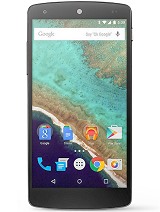
How to Root Nexus 5 on Android 4.4.1 KOT49E KitKat and Install CWM/TWRP Recovery

Google has recently released the Android 4.4.1 Kitkat update with build version KOT49E for the Nexus 5. The new official update is currently available as an Over-The-Air (OTA) update.

Note: You can manually download the OTA for the Nexus 5 directly from Google's Update Servers and follow our step-by-step guide to install the update manually.

Nexus 5 users who have already updated their devices with Android 4.4.1 KOT49E KitKat, may root their devices using the tutorial below.

November 28, 2013

How to Root Galaxy Tab 3 10.1 P5200/P5210/P5220 on Android 4.2.2 Jelly Bean and Install CWM/TWRP Recovery

Samsung Galaxy Tab 3 10.1 users who wish to root and install ClockworkMod Recovery (CWM) or Team Win Recovery Project (TWRP) on their devices, may follow our step-by-step guide below.

This tutorial uses CWM/TWRP was developed and released by the XDA-Developers members, DutchDanny and Angel_666. This method compatible with all three variants of Samsung Galaxy Tab 3 10.1.

November 22, 2013

How to Root Nexus 7 (2013) Mobile on Android 4.4 KRT16S KitKat and Install CWM/TWRP Recovery

Google has rolled out the new Android 4.4 Kitkat update with build version KRT16S for the LTE version of the Nexus 7 (2013). The new official update is currently available as an Over-The-Air (OTA) update.

Nexus 7 (2013) LTE users who have already installed their devices with Android 4.4 KRT16S KitKat, may root their devices using the tutorial below.

How to Root Nexus 7 (2013) Wi-Fi on Android 4.4 KRT16S KitKat and Install CWM/TWRP Recovery

The Wi-Fi version of the Google Nexus 7 2013 has received a new Android 4.3 Android 4.4 Kitkat update with build version KRT16S. The new official update is now available as an Over-The-Air (OTA) update.

Nexus 7 (2013) Wi-Fi users who have already updated their devices with Android 4.4 KRT16S KitKat, may root their devices using the tutorial below.

November 21, 2013

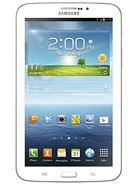
How to Root Galaxy Tab 3 7.0 (Wi-Fi) SM-T210/T210R on Android 4.1.2 Jelly Bean and Install CWM/TWRP Recovery

Announced in April 2013, Samsung Galaxy Tab 3 7.0 is now available for purchase in various countries. Followed by the market rollout, Senior XDA-Developers member gr8nole has released an easy rooting method for the Wi-Fi version of the Galaxy Tab 3 7.0 with model number SM-T210 and SM-T210R. The root method uses ClockworkMod Recovery (CWM) or TWRP which allows users to root their devices without any difficulty.

Samsung Galaxy Tab 3 7.0 (Wi-Fi) users who wish to root and install CWM/TWRP recovery on their devices running on Android 4.1.2 Jelly Bean, may follow our step-by-step guide.